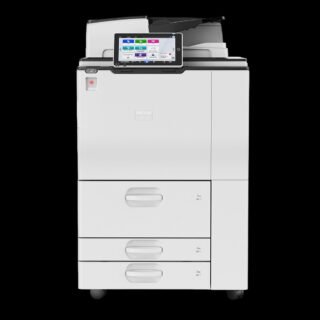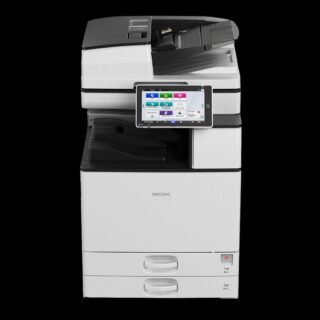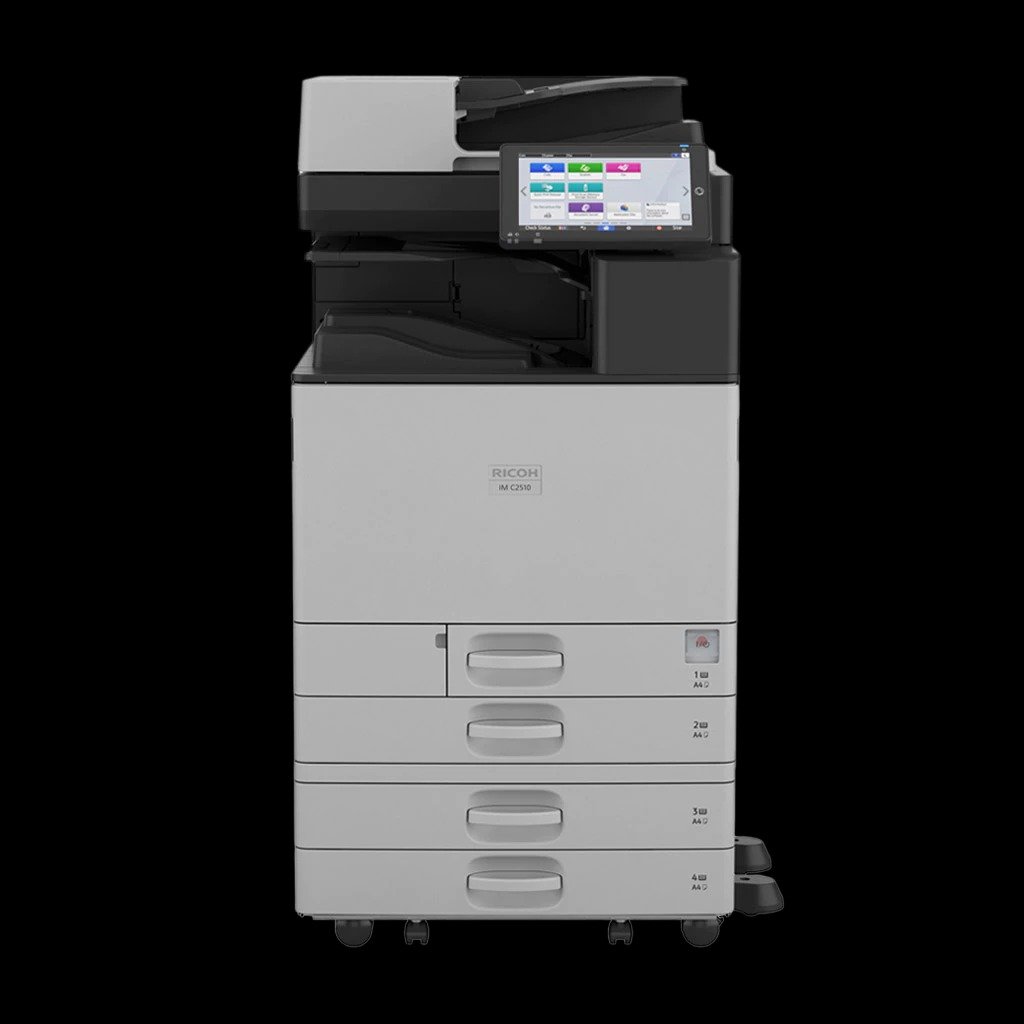
IMC3510
A3 colour multifunction printer
- Copy, print, scan, optional fax
- Prints up to 35 ppm
- Top environmental performance
- Robust security
Improved paper handling
More intuitive operation
- Transitioning to the cloud
Our cloud software solutions are readily available and easy to integrate with your existing IT infrastructure, allowing you to enhance the capabilities the IM C3510. - Keep your device current
Update your device as your business expands by downloading the latest features, upgrades, and applications as you need them. - More energy savings
A host of enhanced energy saving features, such as a new low-melt toner and lower fusing temperature, help to make this one of the most energy-efficient devices around. - Reliable security
Rely on the latest security features to protect your business critical documents and data.
| Functions | Copy, print, scan, optional fax |
| Colour | Yes |
| HDD | 256 GB SSD |
| Memory – standard | 8 GB—4 GB mainframe + 4 GB Smart Operation Panel |
| Operation panel |
|
| Physical dimensions (WxDxH)—mainframe | 587 x 701 x 963 mm |
| Weight—mainframe |
|
| Standard input capacity (sheets) | 1,200 |
| Maximum input capacity (sheets) | 4,700 |
| Standard output capacity (sheets) | 500 250—B4 or large |
| Maximum output capacity (sheets) | 1,625 |
| Paper input configuration – standard | 2 x 550-sheet paper trays, 100-sheet bypass tray, 220-sheet SPDF, duplex unit |
| Paper output configuration – standard | 500-sheet face-down internal output tray |
| Supported media | Tray 1 Plain paper (paper type not displayed), recycled paper, special paper 1–3, colour paper, letterhead, cardstock, pre-printed paper, bond paper, high gloss coated paper, coated paperTray 2 Plain paper (paper type not displayed), recycled paper, special paper 1–3, colour paper, letterhead, cardstock, pre-printed paper, bond paper, high gloss coated paper, coated paper, envelopeOptional trays Plain paper (paper type not displayed), recycled paper, special paper 1–3, colour paper, letterhead, cardstock, pre-printed paper, bond paper, high-gloss coated paper, envelope, coated paper Bypass tray |
| Maximum paper size | SRA3 |
| Media weight (g/m2) | 52–300 |
| Interfaces – standard | Mainframe 10Base-T/100Base-Tx (Ethernet) 1000Base-T (Gigabit Ethernet) USB Host Type A—2 ports USB Type B—1 portSmart Operation Panel Bluetooth 5.21 USB Host Type A—USB Flash memory USB Host Type A—optional 1 port for USB keyboard 1—Cannot be used for printing |
| Interfaces – optional | IEEE 802.11 a/b/g/n/ac Interface Unit Type M52 Device Server Option Type M52 (additional Ethernet/Gigabit Ethernet port) |
| Network protocols – standard |
|
Copy features
| Copy speed | 30 cpm |
| First copy time | 4.5 seconds—black and white 6.9 seconds—colour |
| Copy resolution | 100, 200, 300, 400, 600 dpi—scanning 1,200 x 1,200 dpi (maximum)—printing |
| Zoom range | 25%–400% in 1% steps |
| Enlargement ratios | 115%, 122%, 141%, 200%, 400% |
| Reduction ratios | 93%, 87%, 82%, 71%, 61%, 50%, 25% |
| Duplex copy | Simplex to duplex, duplex to duplex—with SPDF, book to duplex, front and back to duplex |
| Book copy |
|
| Printer drivers | Standard PCL 5c, PCL 6, PostScript 3 emulationOptional Genuine Adobe PostScript 3 |
| Duplex printing | Standard |
| Mobile printing |
|
Scan features
| Scan speed | Via SPDF 150 ppm—simplex, 200 x 200 dpi 120 ppm—simplex, 300 x 300 dpi 300 ppm—duplex, 200 x 200 dpi 220 ppm—duplex, 300 x 300 dpi |
| Scan methods | Scan to USB, Scan to email, Scan to folder, Scan to URL, Scan to MSB, Scan to FTP, Scan to PDF/A, Scan to digitally signed PDF, Scan to searchable PDF
Note: Optional OCR unit is required to support scanning to a searchable PDF. |
| Colour scanning | Standard |
| Scan resolution | 100 dpi, 200 dpi (default), 300 dpi, 400 dpi, 600 dpi, 1,200 dpi Note: 1,200 dpi scanning is supported only with A5 or smaller paper size. |
| Scan to file types | Single- and multi-page TIFF Single-page JPEG Single- and multi-page PDF, PDF/A Single- and multi-page high-compression PDF |
| Scan to email | Protocols SMTP gateway, TCP/IP, POP, IMAP 4 Authentication SMTP authentication, POP before SMTP authenticationScan resolution 100 dpi, 200 dpi (default), 300 dpi, 400 dpi, 600 dpiScan to email file types Single-page TIFF, JPEG, PDF, PDF/A, high-compression PDF, encrypted PDF, searchable PDF Multi-page Note: Optional OCR unit is required to support scanning to a searchable PDF. |
| Scan to folder | Protocols SMB, FTPResolution 100 dpi, 200 dpi (default), 300 dpi, 400 dpi, 600 dpiSearch for client folders SMB—browsing directly to the designated folder FTP—by folder name Scan to folder file types Multi-page Note: Optional OCR unit is required to support scanning to a searchable PDF. |
| TWAIN scanning | Scan mode Standard, Photo, OCR, Filing Note: Optional OCR unit required for OCR scanning.Scan resolution 100–1,200 dpi Note: 1,200 dpi scanning is supported only with A5 or smaller paper size. |